📝 Report a crime or a road problem
Tell others what happened, without your name. It helps everyone plan.
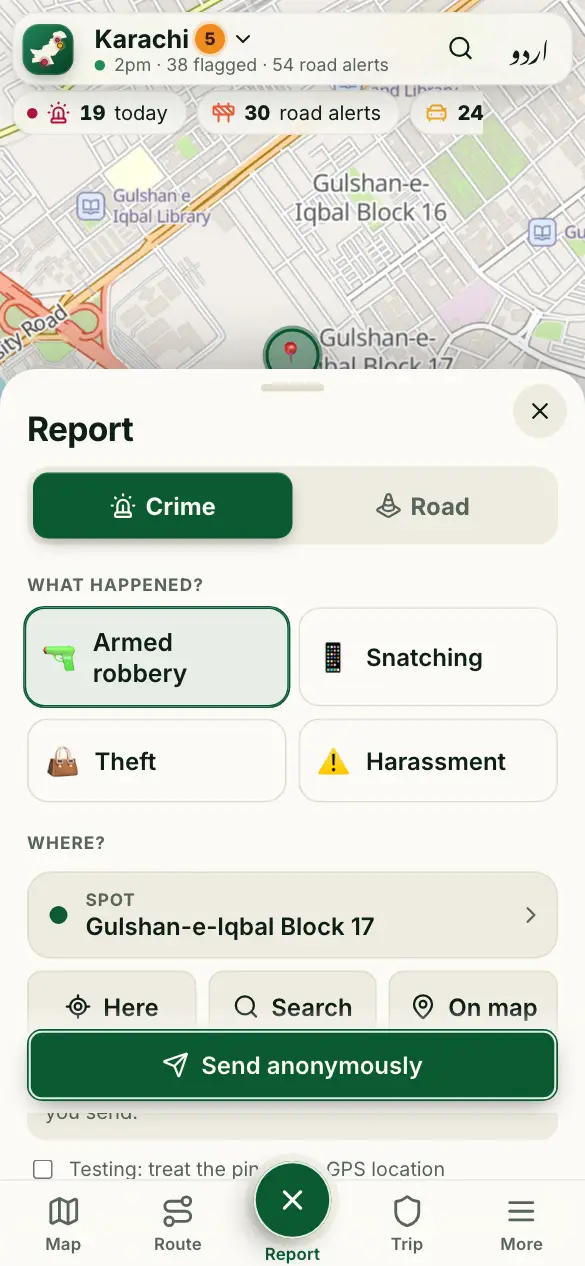
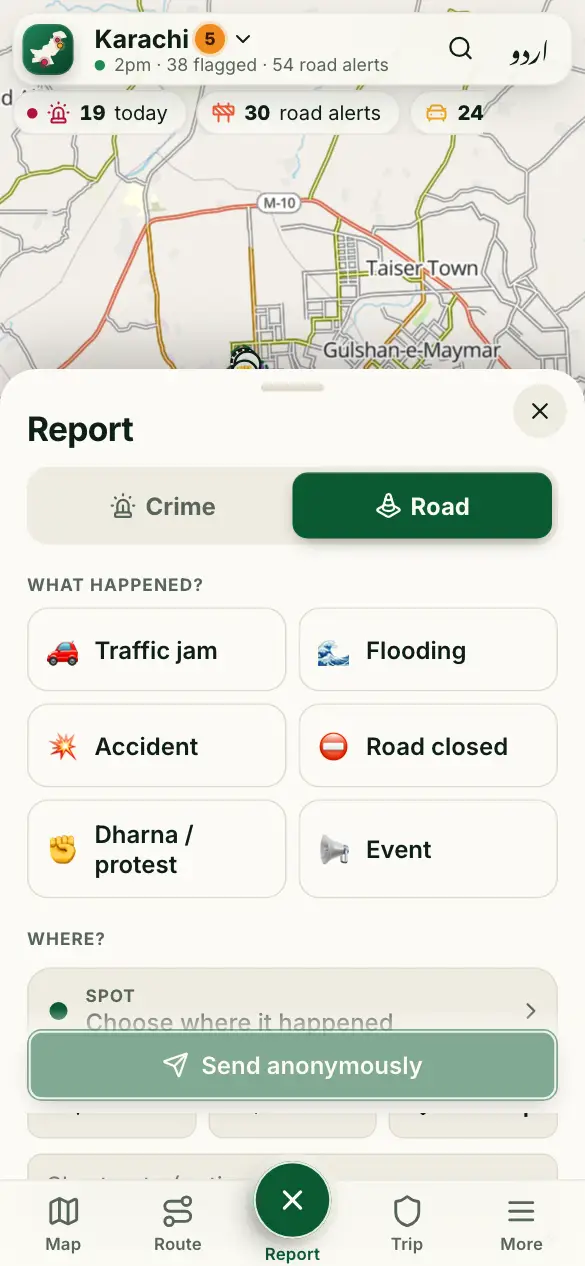
How to use it
- Tap the green + Report button.
- Choose Crime (a snatching, a robbery…) or Road (a jam, flooding, a closure…).
- Pick what happened, and check the spot on the map. You must be within 2 km for a crime.
- Tap Send anonymously.
Good to know
When does my report show on the map?
It changes the area’s risk at once. Its own dot shows once another phone reports the same, and 30 minutes later, so nobody can use the map to find a victim. If our team checks it first, it shows right away.
What can’t I write?
No names, phone numbers, car numbers or where the police are. We take those out to protect people.
My town’s map is empty. Why?
Smaller towns start without data. Report what you see, and the map fills in as people report.
More guides
- 🗺️ Read the risk map
- 🔎 Find a place and check an area
- 🧭 My route: the best time to leave
- 📍 Share my trip
- 🆘 SOS, “Are you OK?” and the trip PIN
- 🔔 Watching someone’s trip: Alert me
- 🏫 Smog and fog closures
- 🚓 Find the nearest police station or hospital
- 📡 See what’s happening near you
- 📣 Notifications and summaries
- 🎬 Share a picture or a video
- 📲 Install the app and switch language
Figures come from verified sources, our team and community reports. No personal data is kept. How the risk level works