📍 Share my trip
Family can watch where you are, live, until you arrive. If something happens, they’re alerted at once.
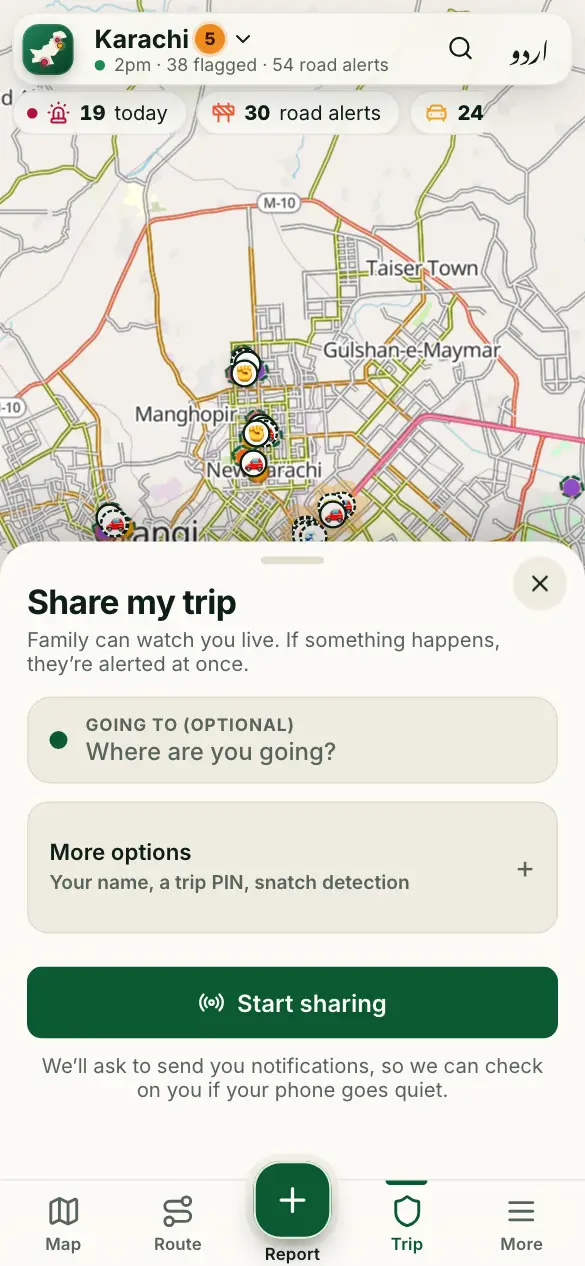
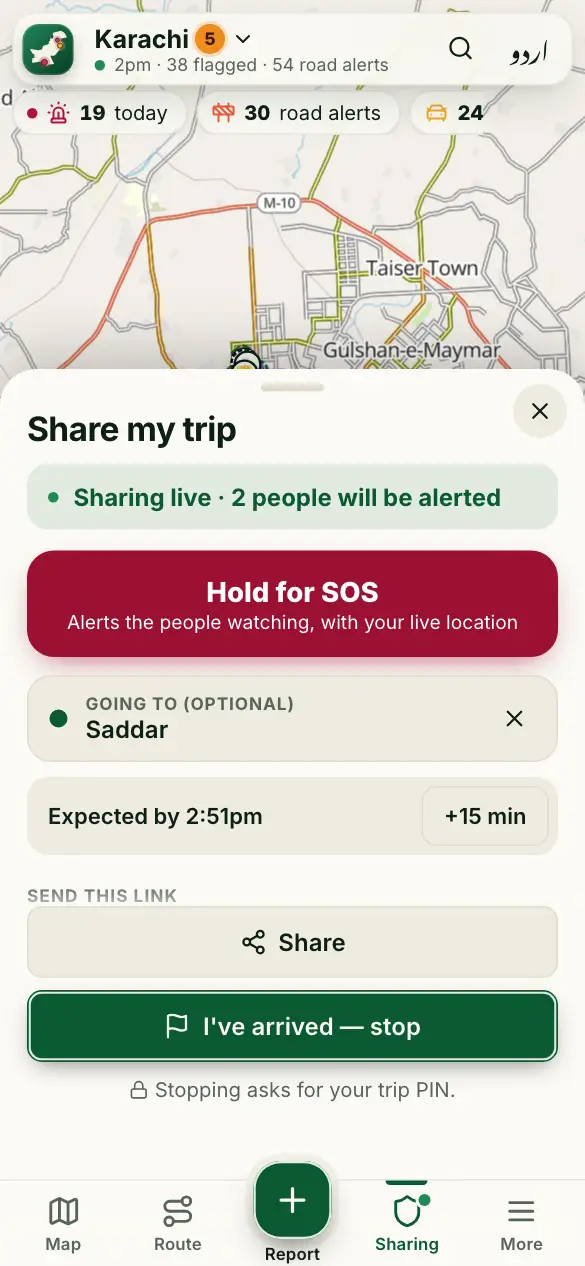
How to use it
- Tap Trip at the bottom. Choose where you’re going if you like.
- Tap Start sharing, and allow location.
- Tap Share and send the link to family on WhatsApp. They tap “Alert me” on it.
- Keep the app open on the way. When you get there, tap I’ve arrived — stop.
Good to know
What does the other person see?
Your live position and the way you came, updated every few seconds while your app is open.
How do I know sharing is on?
The Trip tab says Sharing, with a green dot, on every screen.
The link went to the wrong person?
Tap New link: the old link stops working at once. Sharing also stops by itself after 6 hours.
More guides
- 🗺️ Read the risk map
- 🔎 Find a place and check an area
- 🧭 My route: the best time to leave
- 🆘 SOS, “Are you OK?” and the trip PIN
- 🔔 Watching someone’s trip: Alert me
- 📝 Report a crime or a road problem
- 🏫 Smog and fog closures
- 🚓 Find the nearest police station or hospital
- 📡 See what’s happening near you
- 📣 Notifications and summaries
- 🎬 Share a picture or a video
- 📲 Install the app and switch language
Figures come from verified sources, our team and community reports. No personal data is kept. How the risk level works