🆘 SOS, “Are you OK?” and the trip PIN
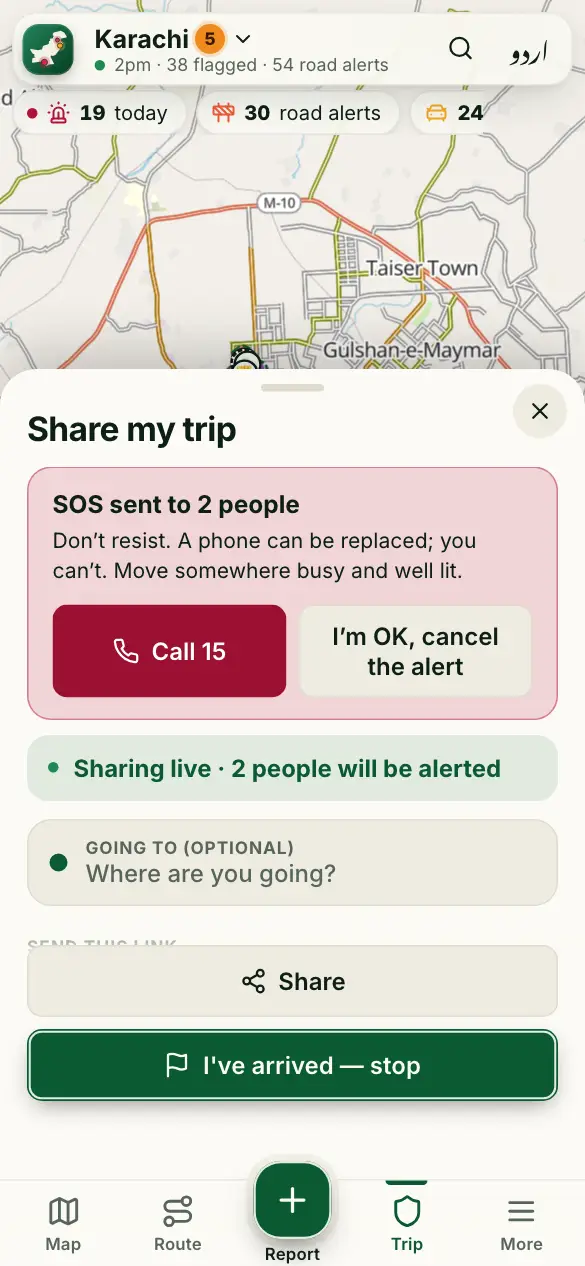
While you share a trip, help can reach your family even when you can’t ask for it.
How to use it
- In danger: hold the red Hold for SOS button for 2 seconds. Everyone watching your trip is alerted with your live location.
- If your phone goes quiet while the app was open, or you’re late, we ask “Are you OK?”. If you don’t answer, your family is alerted.
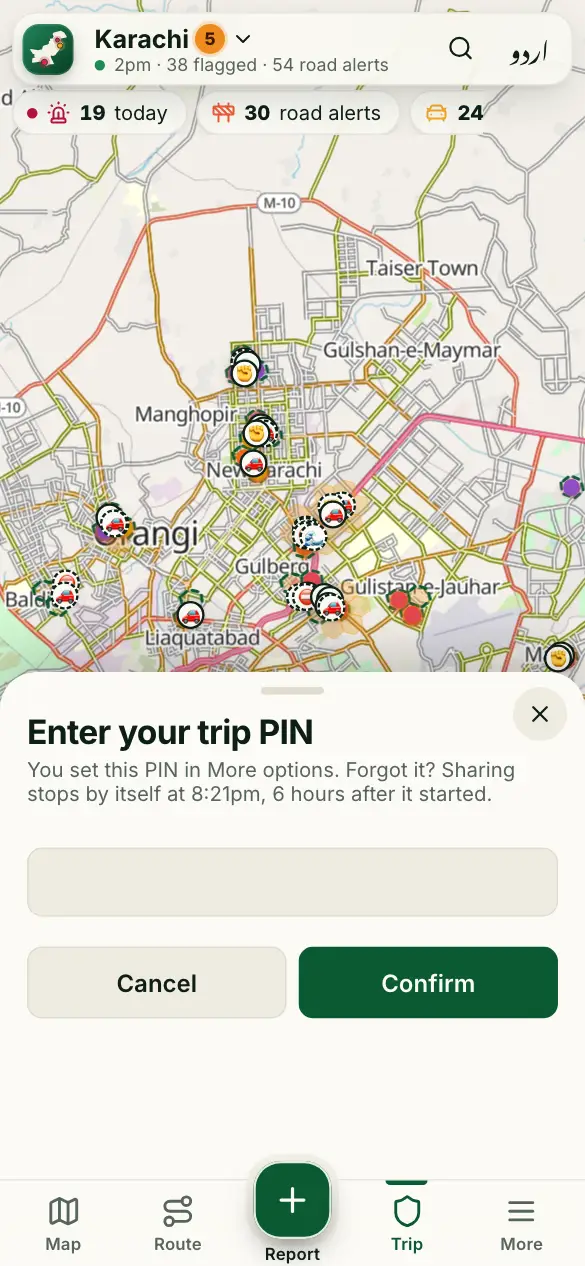
- Optional, in More options: set a trip PIN. Stopping the trip then asks for it.
- If someone forces you to stop sharing, type your PIN backwards (4321 for 1234). It looks stopped, but your family gets an SOS.
Good to know
Does SOS call the police?
No. It alerts the people watching your trip, and our team. Call 15 yourself if you can.
Should I resist a snatcher?
No. A phone can be replaced; you can’t. Let it go and get somewhere busy and well lit.
More guides
- 🗺️ Read the risk map
- 🔎 Find a place and check an area
- 🧭 My route: the best time to leave
- 📍 Share my trip
- 🔔 Watching someone’s trip: Alert me
- 📝 Report a crime or a road problem
- 🏫 Smog and fog closures
- 🚓 Find the nearest police station or hospital
- 📡 See what’s happening near you
- 📣 Notifications and summaries
- 🎬 Share a picture or a video
- 📲 Install the app and switch language
Figures come from verified sources, our team and community reports. No personal data is kept. How the risk level works